


July 22, 2026 By Admin
Compare the best cricket auction software for tournaments — features, pricing & reviews. Find the right platform to run smooth, live player auctions.
Best Cricket Auction Software for Tournaments
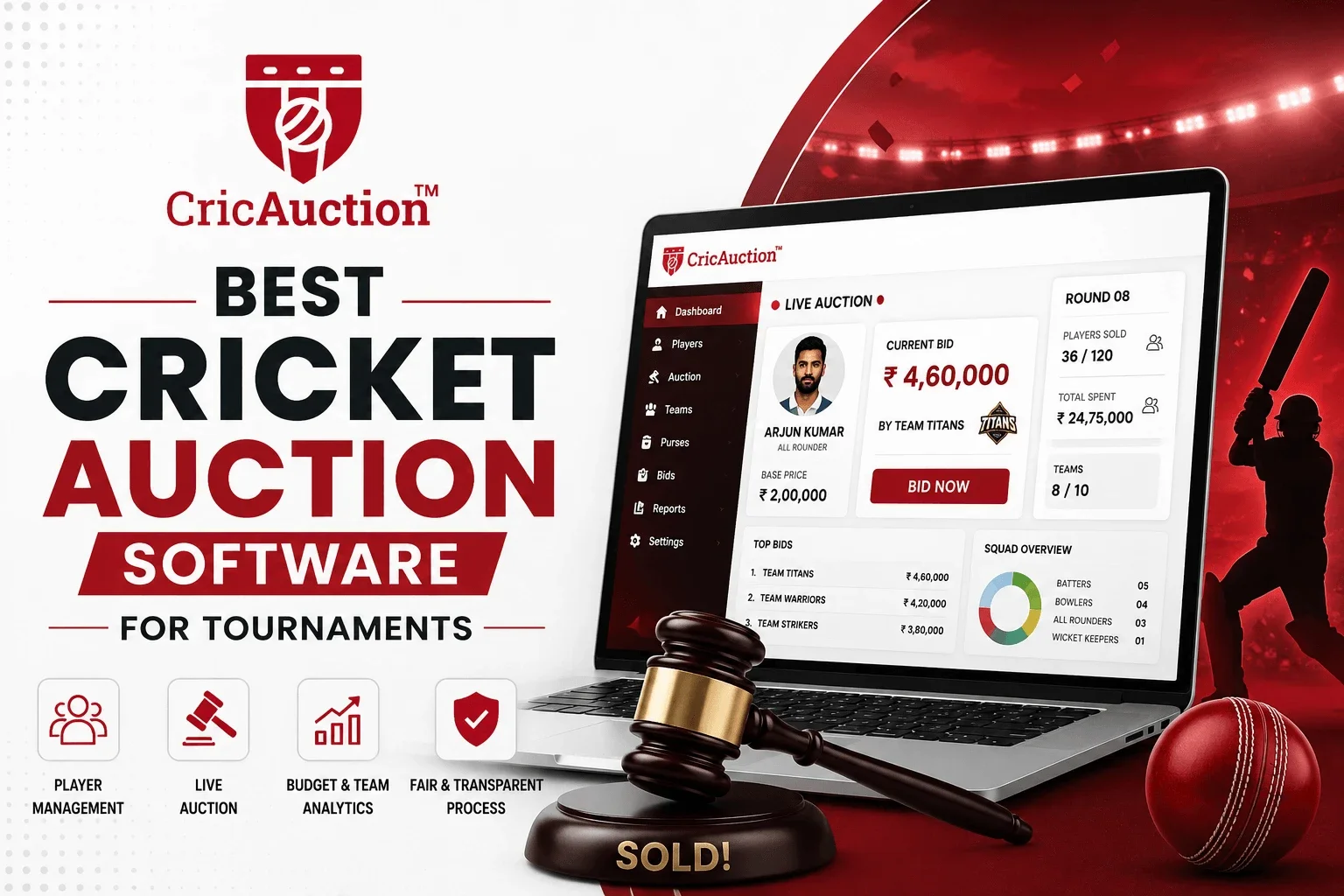
Running a cricket tournament auction with spreadsheets, shouting bids, and manual budget tracking almost always ends in chaos. The best cricket auction software for tournaments automates player bidding, team purses, and live tracking — so organisers run a fair, fast, IPL-style auction instead of a stressful guessing game. In this guide, we break down exactly what to look for, compare top platforms on features and pricing, and show you how to pick the right cricket auction app for your league.
In This Article
What Makes the Best Cricket Auction Software for Tournaments
Cricket player auctions became popular because of the IPL — franchises bidding live for players instead of picking teams randomly. Local leagues, corporate tournaments, and fantasy cricket groups across India have adopted the same format because it adds fairness, drama, and genuine team-building strategy. But an auction is only as smooth as the software running it.
The best cricket auction software for tournaments isn't the one with the most features — it's the one that removes friction for organisers, team owners, and viewers alike. That means real-time bidding that never lags, budget tracking that never needs manual double-checking, and a setup process that doesn't require a technical background.
A good auction platform should feel invisible — organisers focus on running the tournament, not fighting the tool.
Must-Have Features to Look For
Before shortlisting any platform, check whether it covers these essentials:
Real-Time Live Bidding
Team owners should be able to bid remotely from their phone or laptop, with instant updates visible to everyone watching — no delays, no refresh needed.
Automated Purse & Budget Tracking
The software should calculate remaining team budgets automatically after every sold player, eliminating manual maths and disputes over overspending.
Player Categorisation & Base Price Rules
Look for support for player categories (batsman, bowler, all-rounder, wicketkeeper), custom base prices, and minimum/maximum player limits per team.
Bulk Player Upload
A CSV or Excel upload feature saves hours of manual data entry when you're registering 100+ players for a tournament.
Live Streaming & Overlay Support
For tournaments that want an audience, YouTube streaming integration and live overlays make the auction feel professional and engaging.
Quick Takeaway
A platform missing even one of these — especially automated budget tracking — will eventually cost you time and credibility on auction day.
You Might Also Like
Real Pricing: CricAuction Plans
Instead of vague "pricing varies" advice, here's the actual per-auction pricing on CricAuction, based on how many teams your tournament has. Pricing is per auction, not a recurring subscription, so you only pay for the event you're running:
| Plan | Teams Included | Price |
|---|---|---|
| Plan 1 | Up to 3 Teams | Free |
| Plan 2 | Up to 4 Teams | ₹1,999 / auction |
| Plan 3 | Up to 6 Teams | ₹2,499 / auction |
| Plan 4 | Up to 8 Teams | ₹2,999 / auction |
| Plan 5 | Up to 12 Teams | ₹3,999 / auction |
| Plan 6 | Up to 16 Teams | ₹4,999 / auction |
For a local league with 3 teams, you can run a full auction for free. A typical 8-team corporate tournament costs ₹2,999 for the entire auction — no per-player or hidden fees. Check the full pricing page for the latest plans.
How to Run Your First Auction: Step-by-Step
Here's exactly how the process works on a platform like CricAuction, from setup to sold players:
Step 1: Create Your Auction
Enter tournament name, date, number of teams, and total purse per team. This takes under 10 minutes.
Step 2: Add Teams
Register each team with its name, logo, and a short team code so owners can log in and bid remotely.
Step 3: Add Players & Set Categories
Upload your player list (bulk CSV or one-by-one), assign each player a category and base price.
Step 4: Share the Auction Code
Team owners join using a unique tournament code from their phone or laptop — no app install required.
Step 5: Start Live Bidding
Players come up one by one, teams bid in real time, and the software auto-updates each team's remaining purse the moment a player is sold.
Quick Takeaway
Most of the setup work happens before auction day. On the day itself, organisers just run through the player list — the software handles budgets and bid history automatically.
Player Categories & Base Price Example
A common structure used in local and corporate cricket auctions is grading players into categories (similar to IPL's marquee/capped/uncapped system, adapted for club level). Here's a simple example you can copy for your own tournament:
| Category | Typical Player Type | Sample Base Price |
|---|---|---|
| Grade A | Top all-rounders, proven match-winners | ₹2,000 |
| Grade B | Solid batters/bowlers with league experience | ₹1,200 |
| Grade C | Newer or occasional players | ₹600 |
| Wicketkeeper | Specialist keepers (kept separate, teams need at least one) | ₹1,000 |
Base prices are just a starting bid — the software increases price automatically in fixed increments (e.g. ₹100 or ₹200 steps) as teams bid, so you don't need to calculate increments manually mid-auction.
Budget Calculation Example
A question every new organiser asks: "How much purse should each team get?" Here's a working example for an 8-team tournament where each team needs 11 players:
- Total purse per team: ₹20,000
- Minimum players required per team: 11
- Average spend per player if evenly distributed: ₹1,818
- Recommended reserve: keep 15-20% of purse unspent until the last 3-4 players, so teams aren't forced to overpay early and run short later
A good auction platform shows each team's remaining purse and remaining player slots live, so team owners can see instantly whether they're overspending relative to how many players they still need — this single feature prevents most auction-day disputes.
Common Mistakes Organisers Make Without Software
Manual Budget Tracking on Excel
One wrong formula or missed update, and a team owner disputes whether they overspent — mid-auction.
No Remote Bidding Option
Team owners who can't attend in person get left out, or someone has to bid on their behalf — reducing transparency.
Disorganised Player Lists
Without categorisation, auctioneers waste time figuring out player order, base prices, and role balance on the fly.
How to Choose the Right Auction Software for Your Tournament
Match the platform to your tournament's actual scale and audience:
- Small local league (under 60 players): prioritise simplicity and low cost
- Corporate or club tournament: prioritise remote bidding and professional presentation
- Large franchise-style event (150+ players): prioritise automation, streaming, and admin controls
- Recurring annual tournaments: prioritise a subscription plan over per-event pricing
Quick Takeaway
Don't overpay for enterprise features you won't use — but don't undershoot on budget automation, since that's where most manual errors happen.
More Resources
FAQs
What features should cricket auction software have?
Real-time bidding, automated budget tracking, player categorisation, bulk player upload, and optional live streaming support.
Is there free cricket auction software for tournaments?
Yes — many platforms, including CricAuction, offer free plans for small tournaments, with paid upgrades for larger player pools and extra features.
Can team owners bid remotely from their phones?
On modern web-based cricket auction platforms, yes — team owners can bid live from any device with an internet connection.
How much does cricket auction software cost?
On CricAuction, a 3-team auction is free. Larger auctions are priced per event — ₹1,999 for 4 teams up to ₹4,999 for 16 teams — with no extra per-player charges.
How much purse should I give each team?
A common approach is total purse ÷ minimum players per team, with 15-20% held back as reserve — see the budget example above for a full working calculation.
Final Word
The best cricket auction software for tournaments isn't about flashy extras — it's about removing manual errors, giving team owners a fair remote bidding experience, and letting organisers focus on running a great tournament. Whether you're managing a 30-player local league or a 300-player corporate event, choosing a platform built specifically for cricket auctions — with real-time bidding, automated budgets, and simple setup — will save you hours and keep your auction day stress-free.
- Prioritise real-time bidding and automated budget tracking
- Match platform complexity to your tournament size
- Check pricing structure — per tournament vs per player
- Test the platform before your actual auction day
Ready to Run a Flawless Cricket Auction?
Set up your tournament in minutes with real-time bidding, automated budgets, and zero manual errors.
Start Your Free Auction Now →