


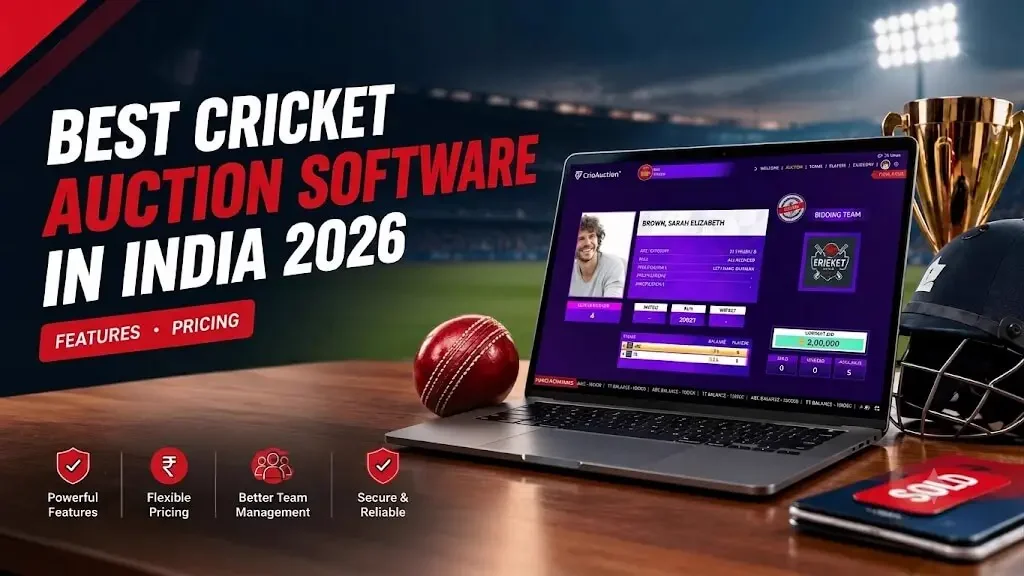
September 21, 2026 By Admin
why it is the best cricket auction software in India for 2026 - live bidding, team management, player registration, pricing, feature and more.
Best Cricket Auction Software in India 2026? Features, Pricing & Complete Guide
Looking for the best cricket auction software for your tournament? The right choice is not simply the software with the longest feature list. It should make player registration, live bidding, team budgets, auction rules and final squad reports easier to manage from one place.
What Is Cricket Auction Software, Exactly?
It's a digital replacement for the WhatsApp-group-plus-spreadsheet method many tournaments start with.
Player registration, live bidding, team budgets, sold/unsold status and final squad reports all move into one system instead of being tracked by hand across different places.
What Makes the Best Cricket Auction Software Useful?
The phrase best cricket auction software can mean different things to different organisers.
Instead of choosing software because of one attractive feature, look at the complete auction journey. The platform should reduce the number of manual tasks your organisers have to perform while the bidding is actually happening.
The Practical Test
Follow one player from registration to final sale. If you can register the player, place bids, update the team budget, mark the result and retrieve the final record without switching between multiple tools, the workflow is doing its job.
Useful Cricket Auction Guides
What Should a Complete Cricket Auction Workflow Include?
Good cricket auction software is not only about the bidding screen. The workflow starts before the first player appears and continues until the final squad report is ready.
| Stage | What the organiser needs | Why it matters |
|---|---|---|
| Player preparation | Registration, Excel upload, categories and base prices | Reduces manual player entry before the auction |
| Team setup | Team names, budgets and auction rules | Creates a consistent starting point for every team |
| Live auction | Player display, bid handling and sold/unsold status | Keeps the bidding process clear for organisers and teams |
| Budget tracking | Automatic purse updates after sales | Helps prevent overspending and calculation mistakes |
| Post-auction | Squad reports and exports | Turns auction activity into usable tournament records |
Why the Complete Workflow Matters
An auction can have a smooth bidding interface and still create unnecessary work if player registration, team budgets or final reports are handled separately. Test the entire journey instead of looking only at the live auction screen.
CricAuction Features and Pricing
CricAuction uses per-auction pricing based on the number of teams. The starter option is free for up to 2 teams, while paid plans scale according to tournament size.
| Plan | Teams | Price |
|---|---|---|
| Plan 1 | Up to 2 | Free |
| Plan 2 | Up to 3 | ₹999 / auction |
| Plan 3 | Up to 4 | ₹1,999 / auction |
| Plan 4 | Up to 6 | ₹2,499 / auction |
| Plan 5 | Up to 8 | ₹2,999 / auction |
| Plan 6 | Up to 12 | ₹3,999 / auction |
| Plan 7 | Up to 16 | ₹4,999 / auction |
| Plan 8 | Up to 20 | ₹5,999 / auction |
| Plan 9 | Up to 30 | ₹6,999 / auction |
| Included on every plan | Available |
|---|---|
| Live auction web / projector view | ✓ |
| Operator panel — web and mobile | ✓ |
| Bulk player entry via Excel | ✓ |
| Web-based player registration | ✓ |
| PDF and Excel export | ✓ |
| Random, manual or category-wise auction modes | ✓ |
| YouTube live overlay | ✓ |
The best auction workflow is the one that keeps organisers focused on the players and bidding instead of manual calculations. — CricAuction
The Short Version
- Start with the complete workflow: player registration, team setup, live bidding, budget tracking and final reports.
- Check whether the software supports the auction rules and player categories your tournament actually uses.
- For smaller tournaments, look for a pricing plan that matches the number of teams rather than paying for features you will not use.
- For larger tournaments, prioritise reliable live bidding, budget visibility, remote access, reporting and an easy operator workflow.
- CricAuction offers a free plan for up to 2 teams and paid per-auction plans up to 30 teams.
Which Cricket Auction Setup Fits Your Tournament?
The right cricket auction software should match the complexity of your event. Team count is one of the easiest ways to identify which features deserve the most attention.
| Tournament type | Priorities | What to look for |
|---|---|---|
| 2–4 teams | Simple setup and affordable pricing | Player registration, basic live bidding, team budgets and reports |
| 5–8 teams | Faster auction management | Categories, automated purse tracking, remote access and exports |
| 9–16 teams | Consistency and control | Multiple auction modes, reliable live bidding, detailed reports and operator controls |
| 17–30 teams | Scalability and visibility | Strong budget management, remote participation, live display and post-auction reporting |
Start with your tournament size and auction workflow, then select the features that solve your actual organising problems.
Test These 8 Things Before Your Cricket Auction
If you are still deciding which cricket auction software to use, do a short test before the real event. You do not need to run a complete tournament. A single test player and two sample teams can reveal most workflow problems.
- 1. Add one player — check whether the registration process is clear.
- 2. Upload several players — test Excel or bulk-entry support if you already have a player list.
- 3. Create sample teams — confirm that team names and starting budgets are easy to configure.
- 4. Run a test bid — check how quickly the current bid and winning team are updated.
- 5. Sell a player — confirm that the player's sold status and team budget update correctly.
- 6. Test an unsold player — understand how your auction handles players who receive no bid.
- 7. Export the results — check whether the final squad information is useful to your organisers.
- 8. Test the auction from the actual devices — use the phones, laptops, projector or display setup that will be used on auction day.
Free vs Paid Cricket Auction Software: What Should You Choose?
Free does not automatically mean unsuitable, and paid does not automatically mean necessary. The important question is whether the software covers the workflow your tournament requires.
- Small tournaments: if you have only a few teams, start by checking whether the free tier covers player setup, bidding and final reports.
- School and college tournaments: simple registration, affordable pricing and an easy operator workflow can matter more than advanced features.
- Club tournaments: look closely at team budgets, player categories, remote access and exports.
- Larger leagues: prioritise live stability, operator controls, remote participation, budget tracking, reporting and support.
CricAuction's pricing starts with a free plan for up to 2 teams and scales through per-auction plans based on team count.
Dedicated Auction Software vs Excel and WhatsApp
Excel and WhatsApp can be useful for preparing a small auction, but the workflow becomes harder to control when several teams are bidding at the same time. A dedicated cricket auction system brings the important auction records into one place.
| Task | Excel / WhatsApp | Dedicated auction software |
|---|---|---|
| Player list | Usually maintained manually | Centralised player records |
| Bid tracking | Manual or verbal | Managed during live bidding |
| Budget updates | Manual calculations | Updated within the auction workflow |
| Sold / unsold status | Recorded separately | Stored with the player result |
| Team sheets | Compiled after the auction | Can be exported from the auction records |
| Auction visibility | Depends on messages and shared files | Can provide a dedicated live auction view |
If your tournament still uses spreadsheets heavily, our Excel vs cricket auction app guide explains the workflow differences in more detail.
Faq
Which is the best cricket auction software in India?
What should I look for in cricket auction software?
Is there free cricket auction software?
How much does cricket auction software cost?
Can cricket auction software handle player registration?
Can team owners participate in an online cricket auction?
Can I stream a cricket auction live?
Can cricket auction software generate final squad reports?
How do I choose the right cricket auction app for my tournament?
Conclusion
The best cricket auction software is the one that fits how your tournament actually runs, not the one with the longest feature list.
Look for smooth player registration, reliable live bidding, automatic budget tracking and easy final reports.
Run a quick test with a few players and sample teams before auction day. CricAuction covers this full workflow, with a free plan for up to 2 teams and paid plans scaling up to 30 teams.